-
Click on the Edit button;
-
On the web part sidebar click the Manage Alerts icon;

-
The list of alerts will appear. Click the pencil icon to edit an alert;

-
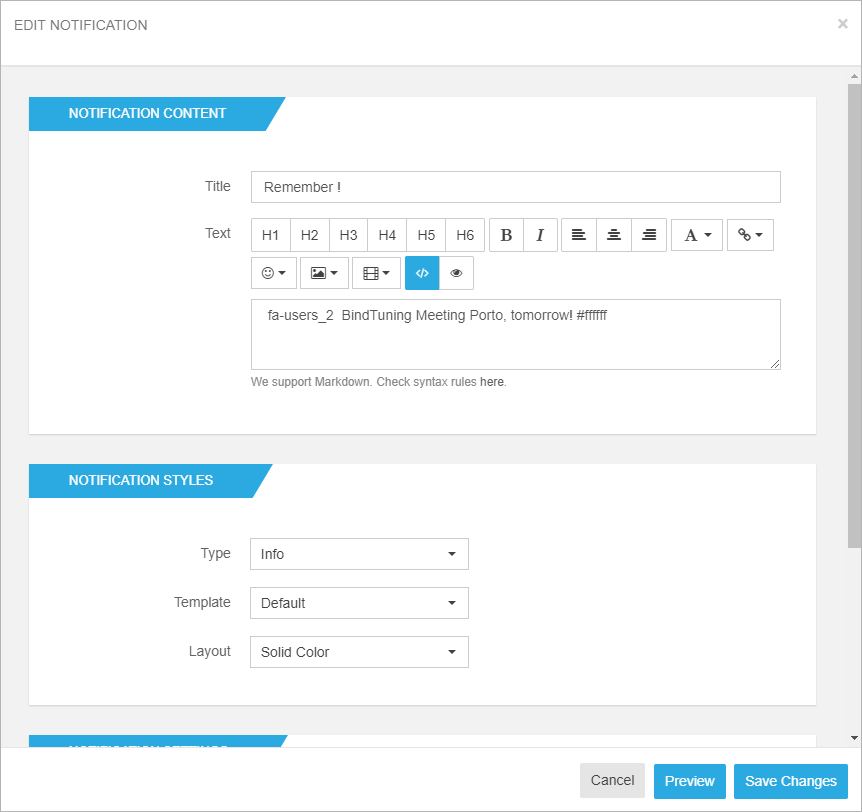
Change the Alerts Settings as necessary to re-configure the alert.
-
Done editing? Click on the Preview button if you want to see how everything looks on the page or on Save Changes.